
Finding NPV and IRR — BA II Plus
Clear keystrokes for NPV and IRR, with extra student-friendly guidance and a simple Excel-style table for checks.
Example Cash Flows (Annual)
Discount rate: 10%
| Year | Cash Flow | Frequency | Notes |
|---|---|---|---|
| 0 | −12,000 | 1 | Initial investment (negative) |
| 1 | +5,000 | 1 | Inflow |
| 2 | +6,000 | 1 | Inflow |
| 3 | +3,000 | 1 | Inflow |
Enter Cash Flows on BA II Plus
- Press CF (display shows CFo). Type 12000 → +/− → ENTER → ↓.
- C01: type 5000 → ENTER → ↓ (ensure F01 = 1) → ↓.
- C02: type 6000 → ENTER → confirm F02 = 1 → ↓.
- C03: type 3000 → ENTER → confirm F03 = 1.
Compute NPV (10%)
- Press NPV → at I type 10 → ENTER → ↓ until NPV appears.
- Press CPT to calculate.
Result: NPV ≈ −241.92.
Compute IRR (What It Means & How to Use It)
Keystrokes
- After entering cash flows, press IRR.
- Press CPT to solve.
Interpretation
- IRR is the discount rate that makes NPV equal to zero for the entered cash flows.
- Decision rule: accept the project if IRR > hurdle rate (your required return or cost of capital); otherwise reject.
- IRR is an average, compounded rate for the entire stream, not a single-period return.
Common Student Questions
- Why can IRR differ from the rate that maximizes value? For mutually exclusive projects, always compare NPV at the correct discount rate; IRR can favor the smaller, faster-payback project.
- Can there be multiple IRRs? Yes—cash-flow streams with more than one sign change (e.g., − + + − +) can yield multiple IRRs. In that case, rely on NPV for the decision.
- What if the calculator shows an error or behaves oddly? Clear old inputs: CF → 2nd → CLR WORK. Re-enter cash flows, confirm signs, and ensure frequencies are correct.
- Does BA II Plus need a “guess”? No—just press IRR → CPT after cash flows are entered.
Check against NPV: after viewing IRR, go back to NPV and compute at your hurdle rate. If NPV is positive, the project adds value even if IRR is close to the hurdle.
Simple Checks
- Initial outlay is negative; inflows are positive.
- Use the Fxx (frequency) field when a cash flow repeats.
- If NPV seems off, recheck the discount rate input under NPV at I.
One-Time Calculator Setup
- Start fresh for a new problem: CF → 2nd → CLR WORK.
- Payments set to end-of-period (ordinary annuity): 2nd → PMT → ensure it shows END.
- Optional: set display decimals: 2nd → FORMAT → enter digits → ENTER.

Find a Financial Calculator
Quick ways to get NPV/IRR tools on web or phone.
Web (no install)
- Search: “online financial calculator NPV IRR”
- Or try: “BA II Plus online emulator”, “HP 12C online”
Android — Google Play
- Search: “BA II Plus financial calculator”, “HP 12C”, “NPV IRR calculator”
- Check: recent updates, reviews, NPV/IRR + CF input (CF, NPV, IRR, CPT)
iPhone/iPad — App Store
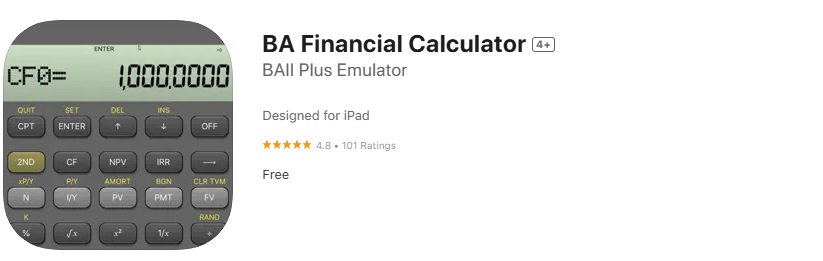
- Search: “BA II Plus”, “BA Financial Calculator”, “HP 12C”
- Confirm: cash-flow lists (CF0, C01…), frequency (Fxx), and NPV/IRR functions
Desktop Alternatives
- Spreadsheets: NPV, XNPV, IRR, XIRR
- Emulators: TI/HP (use per school policy)
Quick Tips
- Avoid apps with excessive ads/permissions
- Cross-check results with a spreadsheet when possible